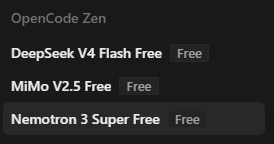
Free AI Freebuff

Drop in, start a thread, argue about loadouts. All the usual.

Home Forums General Chat Lounge Free AI Freebuff

OP bumfluff -U4EA- Admin

uploaded image

https://www.npmjs.com/package/freebuff
https://freebuff.com/

Found a free AI coder that isn’t a scam. Don’t put sensitive information in it, bank details, API keys and so on as it uses what you put in to train other models. And BE CAREFUL, it can create, edit, delete files on your computer so start off simple with what you do, be precise with what you ask of it.

If you haven’t already, install NPM https://nodejs.org/en/download/

Open up the Windows Terminal, type “npm install -g freebuff” and press enter.
Freebuff will install.
Once installed, in Terminal, CD to the directory you want to use. Either make a new directory or select something you want to mess with. Type “cd C:\aiproject” or whatever path you want to go to.
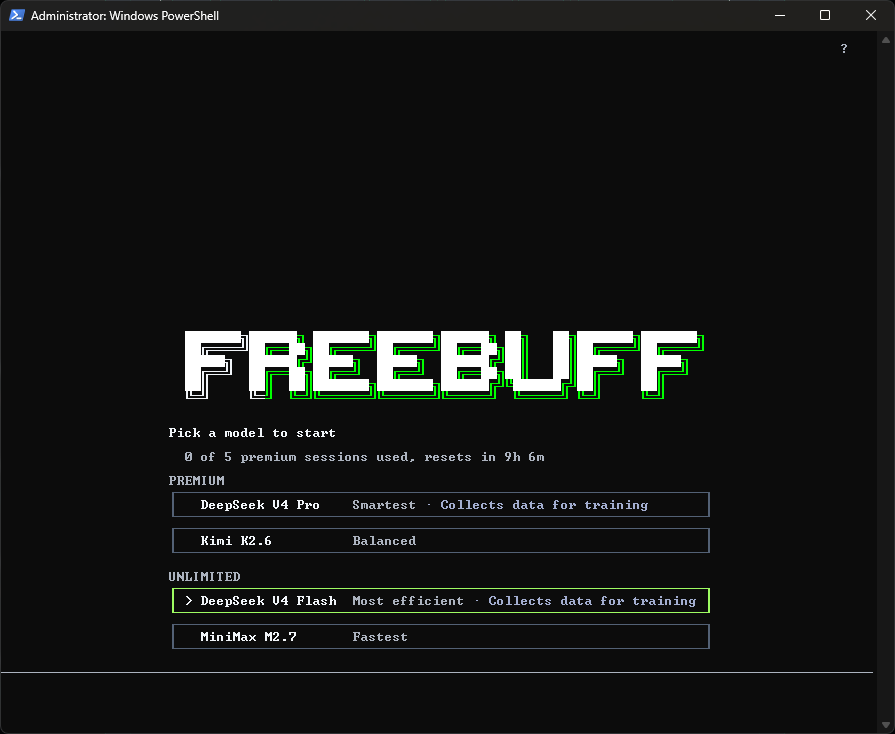
After that, type “freebuff” and the AI will load.

Now you select the model you want to use and then tell it what you want to do.
I’d start with Deepseek V4 Flash until you work out what you are doing.
Be careful as it can create, delete and everything else within that folder you CD into.
uploaded image

  • This topic was modified 3 months ago by bumfluff.
  • This topic was modified 3 months ago by bumfluff.
U4EA Server
  • Creator
    Topic
  • #1657
    bumfluff
    -U4EA- Admin

    uploaded image

    https://www.npmjs.com/package/freebuff
    https://freebuff.com/

    Found a free AI coder that isn’t a scam. Don’t put sensitive information in it, bank details, API keys and so on as it uses what you put in to train other models. And BE CAREFUL, it can create, edit, delete files on your computer so start off simple with what you do, be precise with what you ask of it.

    If you haven’t already, install NPM https://nodejs.org/en/download/

    Open up the Windows Terminal, type “npm install -g freebuff” and press enter.
    Freebuff will install.
    Once installed, in Terminal, CD to the directory you want to use. Either make a new directory or select something you want to mess with. Type “cd C:\aiproject” or whatever path you want to go to.
    After that, type “freebuff” and the AI will load.

    Now you select the model you want to use and then tell it what you want to do.
    I’d start with Deepseek V4 Flash until you work out what you are doing.
    Be careful as it can create, delete and everything else within that folder you CD into.

    uploaded image

    • This topic was modified 3 months ago by bumfluff.
    • This topic was modified 3 months ago by bumfluff.
    U4EA Server
Viewing 1 replies (of 1 total)
  • Author
    Replies
  • #1660
    bumfluff
    -U4EA- Admin

    AI is great when you know what to do with it.

    Another free program is OpenCode if you want a GUI. This is the one I use. It comes with a couple of free models in it also, but you can use this one with the majority of models, Claude, Gemini, GPT, Opus etc.

    uploaded image

    https://opencode.ai/
    https://github.com/anomalyco/opencode

    uploaded image

    When installed, create a project by selecting or creating a folder, start a chat and tell it what to do.

    • This reply was modified 3 months ago by bumfluff.
    U4EA Server
Viewing 1 replies (of 1 total)
  • You must be logged in to reply to this topic.